Introduction
TrustView API lets you connect TrustView to your existing apps and systems -- whether that's a contract management tool like PocketLaw, a project tracker like Jira, or your own internal software.
What you can do
With the API you can programmatically manage:
- Vendors -- create, update, list, and remove vendors in Smart Inventory
- Assets -- manage your asset register
- Processes (ROPA) -- maintain your Record of Processing Activities
- Tasks -- create and track compliance tasks across frameworks
Base URL
All API requests go to:
Quick start
- Navigate to My organization > API keys tab in the TrustView app to generate your API key
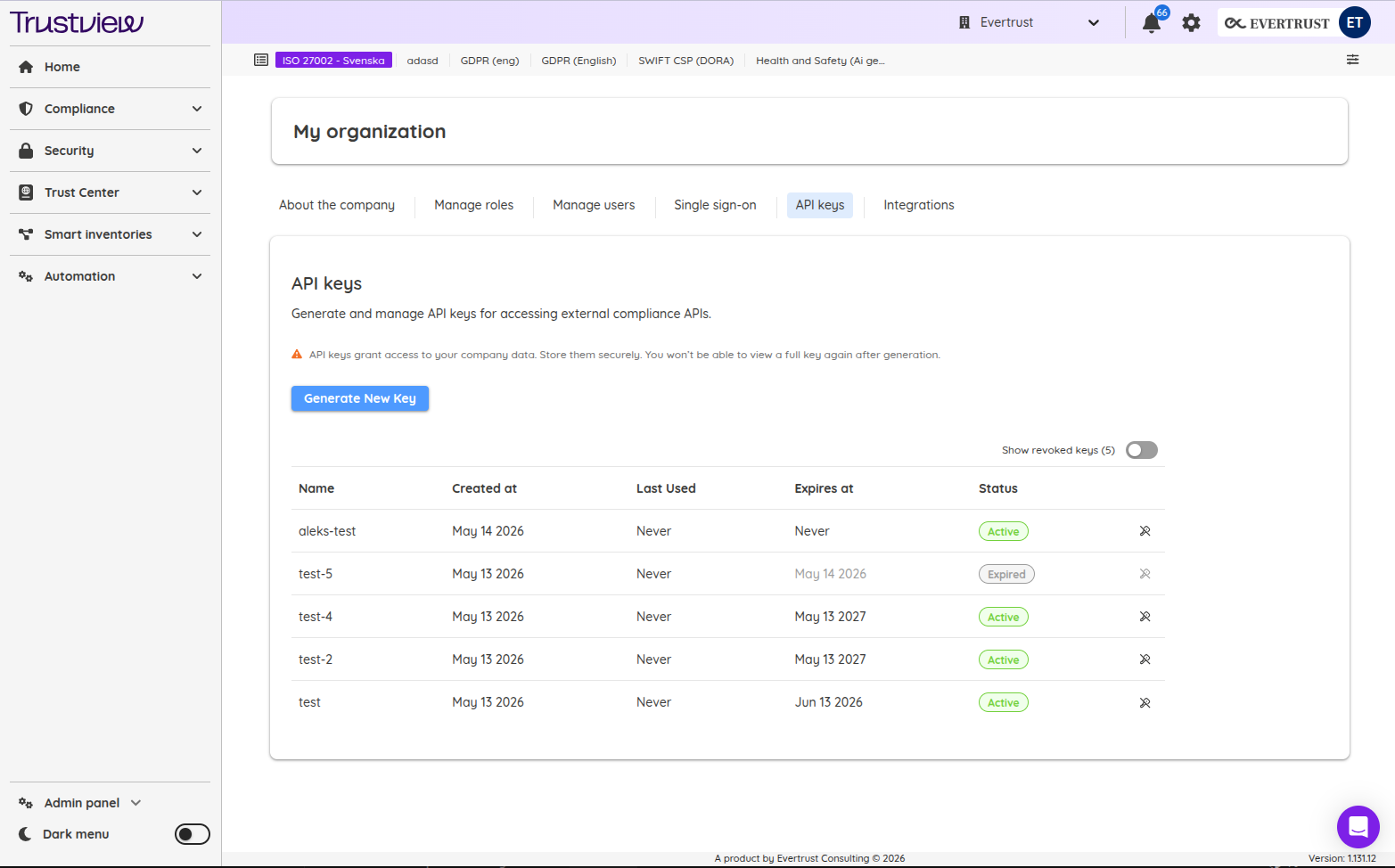
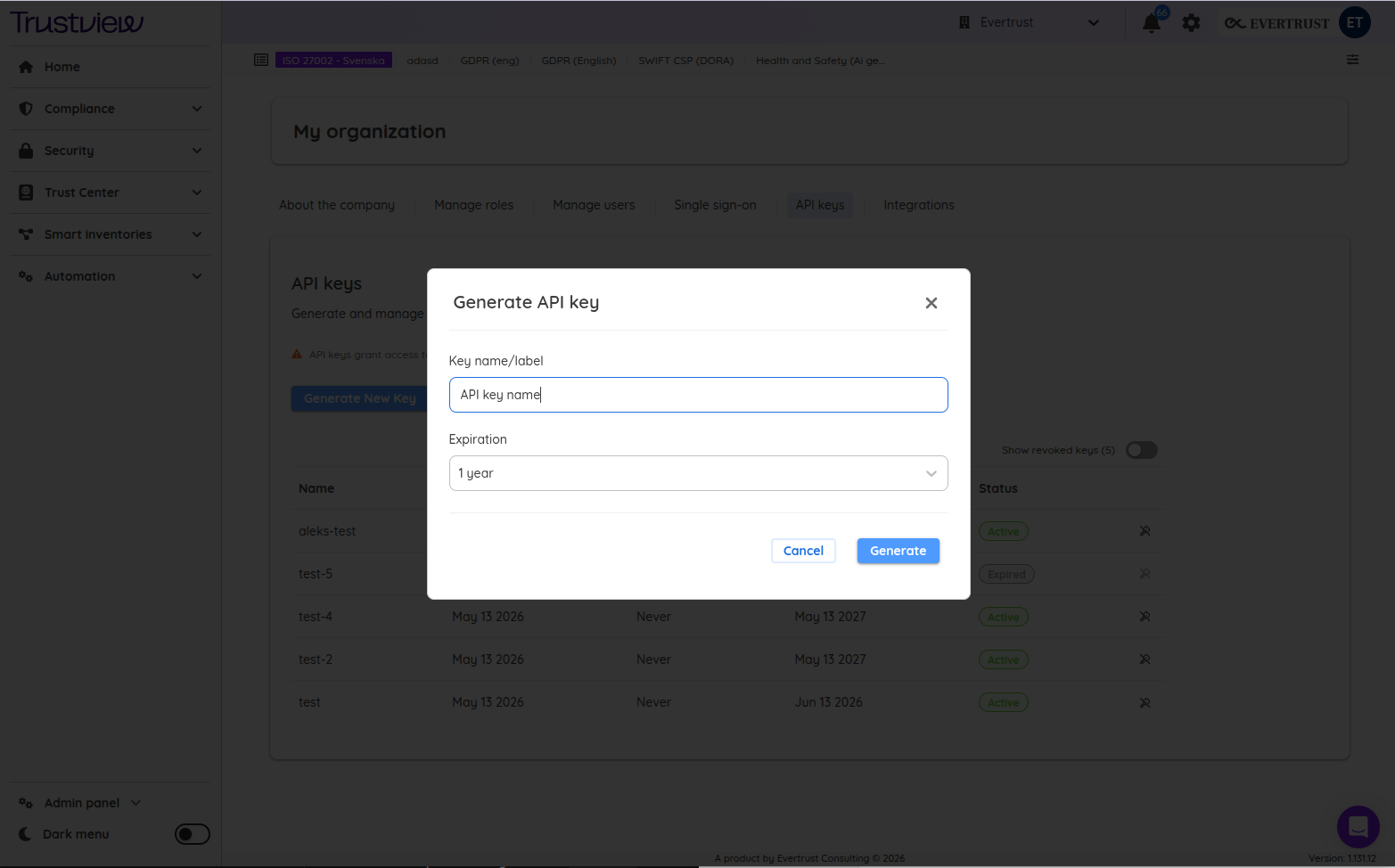
- You receive a key starting with
tvw_sk_live_-- save it, it's only shown once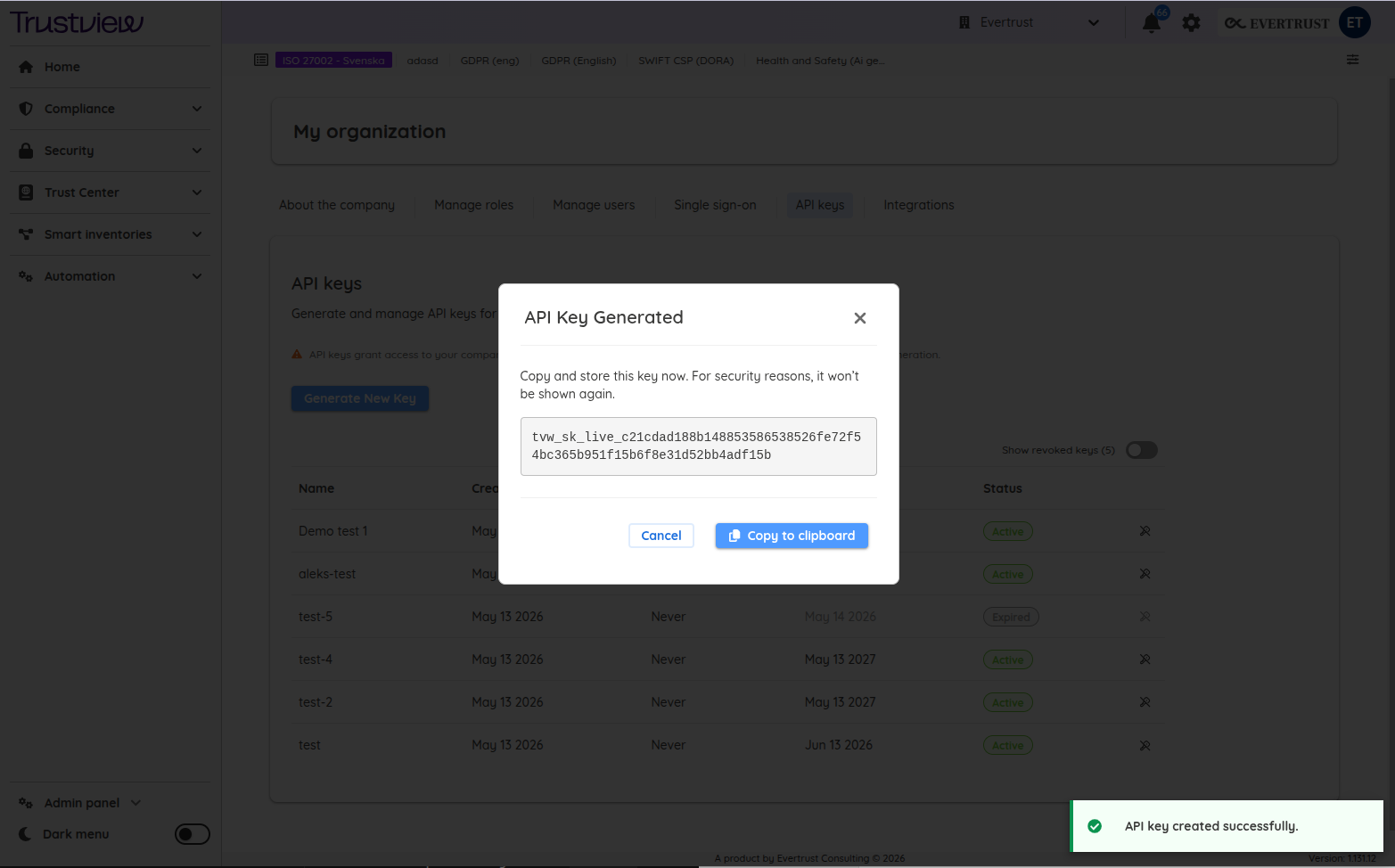
- Include it in every request as an
X-API-Keyheader - Start making calls
curl -X GET https://api.trustview.eu/external/smart-inventory/vendor/list \
  -H "X-API-Key: tvw_sk_live_your_key_here"
Good to know
- All requests and responses use JSON
- The company is identified automatically from your API key -- no need to pass a company ID
- Every action made through the API is tracked in audit logs under the integration user tied to your key